![ProjectTeam Logo - White with colored dots-2.png]](https://help.projectteam.com/hs-fs/hubfs/ProjectTeam%20Logo%20-%20White%20with%20colored%20dots-2.png?height=28&name=ProjectTeam%20Logo%20-%20White%20with%20colored%20dots-2.png)
New features included in this release:
- MCP Connectors (Connect ProjectTeam to Claude or ChatGPT)
- Multi-Select Picklists
- Comment Mention Tracker
- Update Form Fields After Workflow Step Action
- Docusign Integration
- Other updates and bug fixes
MCP Connectors (Connect ProjectTeam to Claude or ChatGPT)
ProjectTeam.com now connects directly to leading AI tools, including Claude and ChatGPT, opening an entirely new way to interact with your project data. Ask questions, uncover insights, generate reports and dashboards, and create records through natural conversation. Whether you’re dictating updates from the field or reviewing project performance, powerful new capabilities are just a prompt away.
Your data stays connected to ProjectTeam.com, helping you spend less time navigating screens and more time making informed decisions. For added security and control, each organization can disable AI access based on its policies and preferences. This feature is available exclusively to Subscribers. Learn more here.
Helpful Videos:
- Video 1: Query, Create & Share Project Data
- Video 2: Turn Images into Structured Records
- Video 3: Use Claude Artifacts to Build Reusable Construction Dashboards
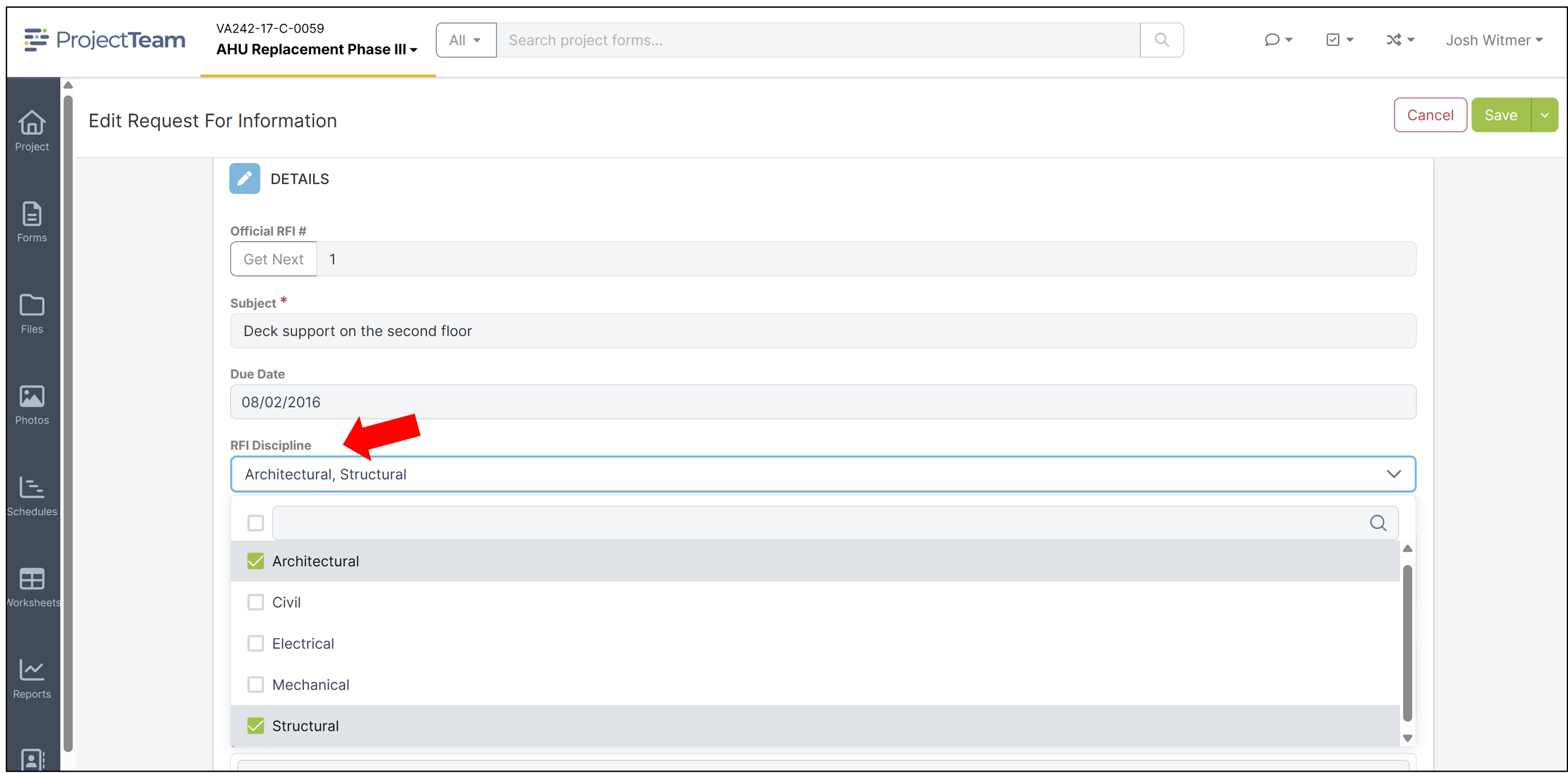
Multi-Select Picklists
Administrators can now add Multi-Select Picklist fields at the company or project level, giving users the ability to select multiple options from a predefined list. These fields can be added as standard fields or within collections, making it easier to capture information such as applicable disciplines, affected locations, project categories, and other details that require more than one selection. Learn more about custom fields here.
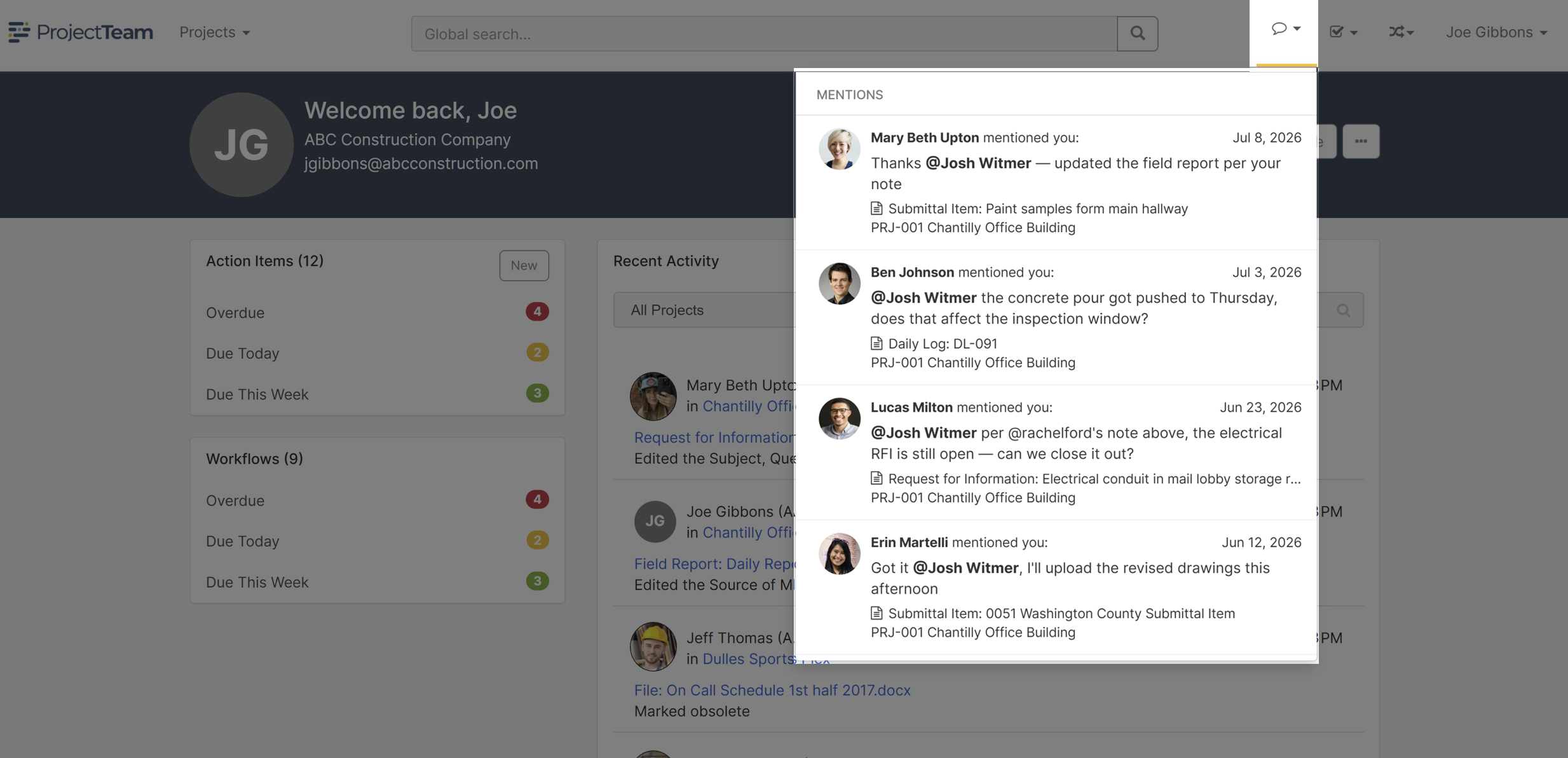
Comment Mention Tracker
Never miss an important conversation with the new Comment Tracker, now available directly from the main navigation. View all comments where you’ve been mentioned in one convenient place, making it easy to stay on top of questions, requests, and project updates. Click any mention to go directly to the related form and continue the conversation. Learn more here.
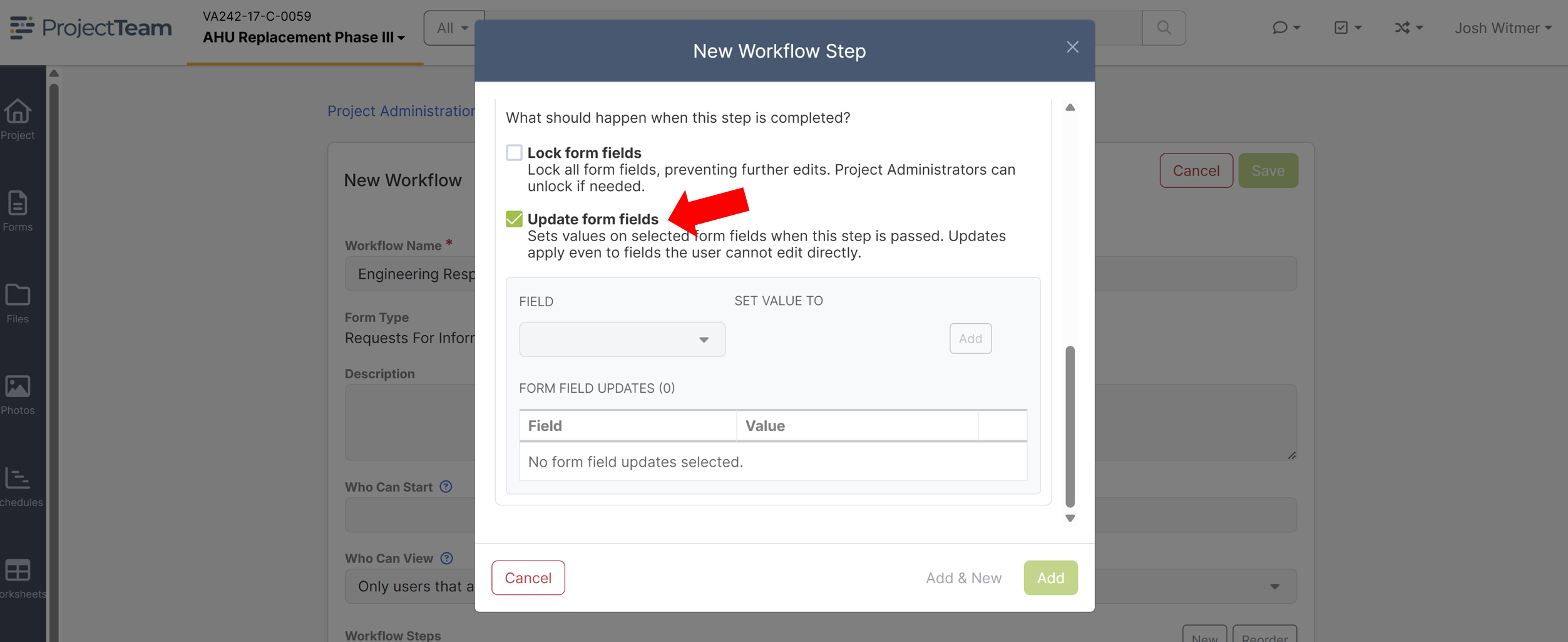
Update Form Fields After Workflow Step Action
Automate updates to your forms by connecting field changes directly to workflow steps. When a workflow step is completed, the designated form field is automatically updated, keeping your records accurate and consistent without additional manual effort. Each update is recorded in the form’s activity history with a “(via Workflow)” label for clear visibility and accountability. Learn more about workflows here.
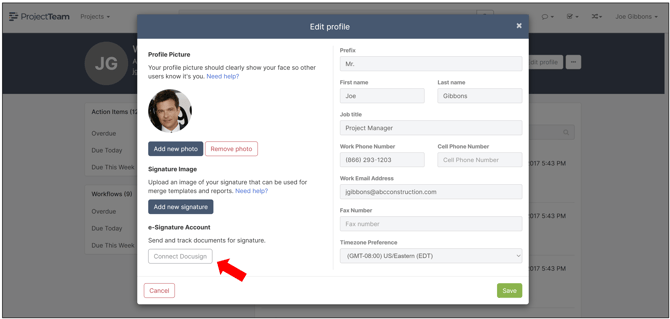
Docusign Integration
Note: This feature is currently available to select companies and Subscriber users only. If your company is interested, please contact support@projectteam.com.
Connect your Docusign account to ProjectTeam.com and send merged documents directly for electronic signature without leaving the platform. Signature status is tracked on the Merge Document form, giving you clear visibility into outstanding and completed documents while streamlining approvals and execution. Read more here.
Other updates and bug fixes 🐛
NEW: Select and download multiple form attachments using the new file selection checkboxes.
NEW: Updated modal header colors for improved contrast and readability.
NEW: Enhanced file viewer performance when loading large files and adding markups.
NEW: Remove business addresses directly from the Project Directory.
NEW: Search any column when adding users to projects.
NEW: Single Sign-On support for MCP connections to Claude and ChatGPT.
FIXED: Improved loading speed for the halted and obsolete files list.
FIXED: Enhanced global search performance and reduced page load times.