![ProjectTeam Logo - White with colored dots-2.png]](https://help.projectteam.com/hs-fs/hubfs/ProjectTeam%20Logo%20-%20White%20with%20colored%20dots-2.png?height=28&name=ProjectTeam%20Logo%20-%20White%20with%20colored%20dots-2.png)
Open the Comment Tracker
- From any page in ProjectTeam.com, click the comment bubble icon in the top header.
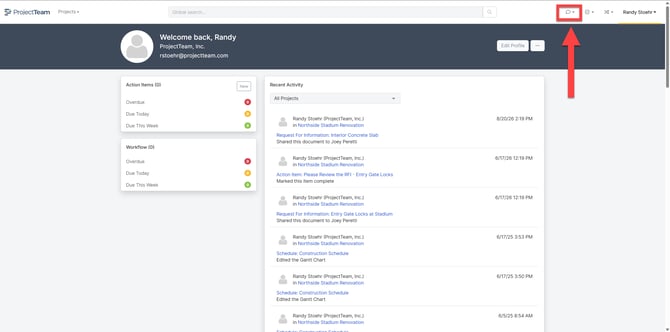
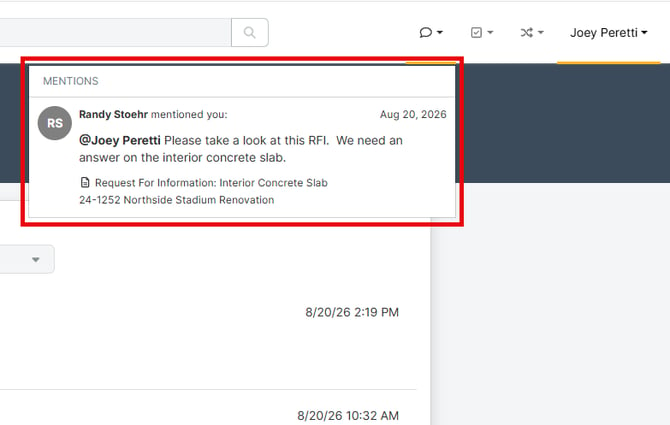
- The Comment Tracker panel opens, showing comments where you were tagged, most recent first.
Navigate to a Comment
- Each entry in the list shows who commented and a preview of the comment.
- Click any comment to go directly to the record it was made on.
Load More Comments
- The Comment Tracker loads 10 comments at a time. Scroll to the bottom of the list to automatically load the next 10.
- Comments remain in the tracker for 60 days after they're posted, then age out of the list.
Note: To learn more about tagging users and adding comments to a form, see Comments on Forms.