![ProjectTeam Logo - White with colored dots-2.png]](https://help.projectteam.com/hs-fs/hubfs/ProjectTeam%20Logo%20-%20White%20with%20colored%20dots-2.png?height=28&name=ProjectTeam%20Logo%20-%20White%20with%20colored%20dots-2.png)
New features included in this release:
- Business & Project Directory Updates
- Enhanced Visual Workflows
- View Forms as Another User
- Other updates and bug fixes
Business & Project Directory Updates
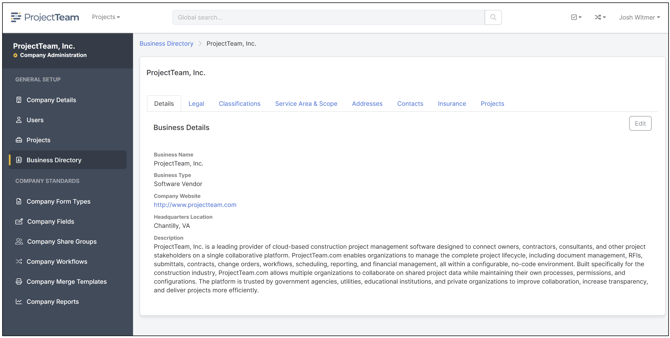
This release introduces significant enhancements to both the Business Directory and Project Directory, providing a more complete view of the organizations you work with. New tabs have been added to every business record, allowing you to capture important business, compliance, and qualification information in a centralized location.
The following tabs are now available:
- Legal – Store key organizational information including legal entity type, number of employees, FEIN, UEI, and other business registration details.
- Classifications – Track business classifications such as MBE, WBE, DBE, SBE, and other certification types, along with labor status and union-related information.
- Service Area & Scope – Document the states and geographic areas where a business operates, as well as the services, trades, or scopes of work they perform.
- Insurance – Maintain business insurance policies and coverage information. Insurance records can be associated with projects, allowing project-specific certifications, status, and expiration dates to be tracked independently while referencing the same business record.
These enhancements are available within both the centralized Business Directory and individual Project Directories, helping organizations maintain richer business information while improving compliance, contractor management, and project oversight.
Enhanced Visual Workflows
This release introduces major enhancements to Visual Workflows, providing administrators with greater control over workflow configuration and enabling automated actions as records progress through each approval step.
The following enhancements are now available:
- One Workflow per Form Type – Each workflow is now associated with a single form type. When creating a new workflow, administrators must select the form type it will manage. This simplifies workflow administration and enables deeper integration with form-specific functionality.
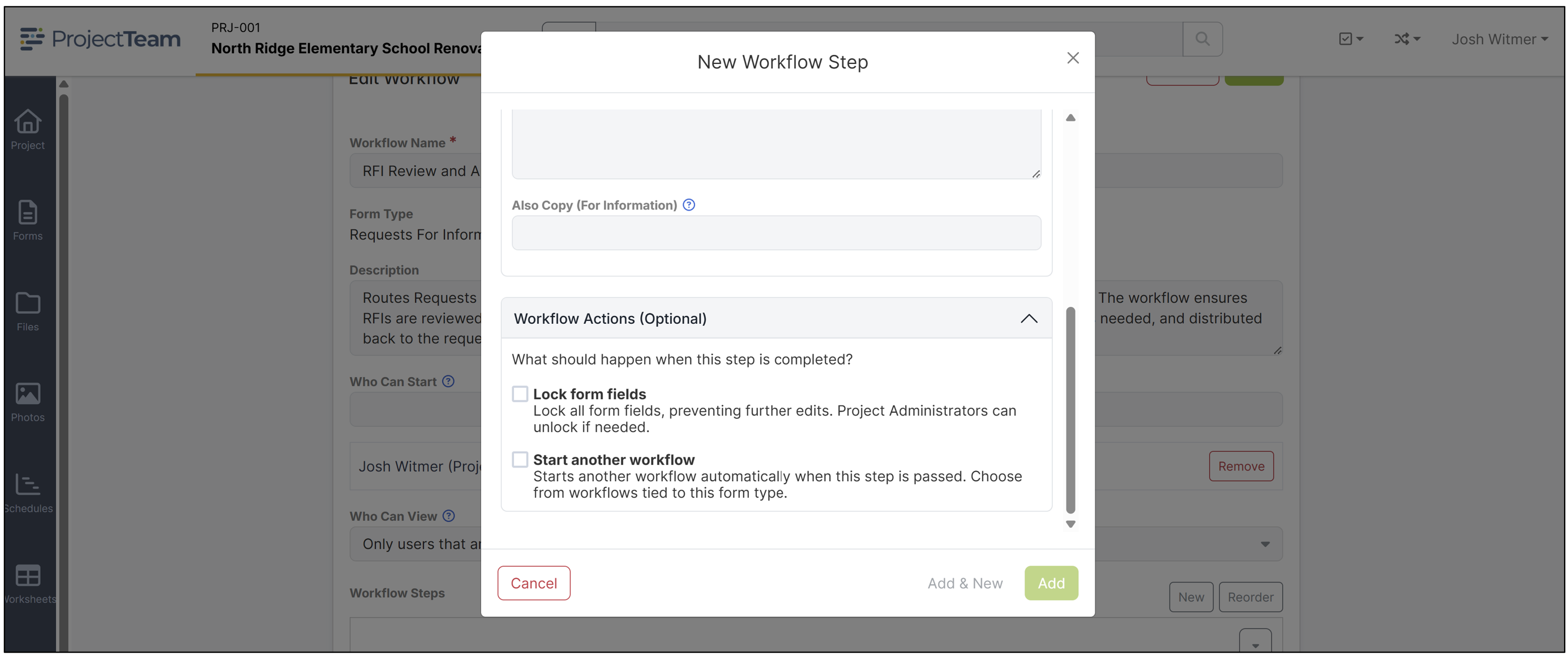
- Lock Form Fields – Workflow steps can now automatically lock designated form fields when a step is completed, preventing further edits and helping preserve data integrity as records move through the approval process.
- Approve Forms – Workflow steps can automatically perform system approvals for supported form types, including contracts, budgets, pay applications, and change orders. Approval behavior is handled according to the business rules defined for each form type, eliminating manual approval actions and ensuring consistency.
- Start Another Workflow – A workflow step can now automatically initiate another workflow for the same form, allowing organizations to chain together review, approval, and post-processing workflows without manual intervention.
- Activity History – Every automated workflow action is recorded in the Activity History, providing a complete audit trail of workflow progression and system-generated actions for improved visibility and compliance.
These enhancements make Visual Workflows more powerful than ever by combining configurable approval processes with intelligent automation. Organizations can reduce manual effort, enforce business rules, and create more sophisticated workflow processes while maintaining complete visibility into every action performed throughout the lifecycle of a record.
View Forms as Another User
This release introduces a new collaboration feature that allows users to view a form from another project member's perspective. By selecting a user's profile picture (or initials if no profile picture is available), users can see the combination of fields that are visible to both themselves and the selected user. This provides a simple way to understand how information is shared across organizations and helps eliminate confusion when collaborating on the same record.
Because field-level access can vary between users, even when they are working on the same form, this feature makes it much easier to verify what information another team member can see. Whether collaborating with internal staff, contractors, consultants, or owners, users gain greater visibility into how permissions affect the shared project record without needing to switch accounts or request screenshots.
This enhancement is powered by ProjectTeam's CoreLink Data Model™, the foundation that enables multiple organizations to collaborate on the same project data while maintaining independent permissions, workflows, and configurations. It is another example of how ProjectTeam delivers secure, flexible collaboration without requiring duplicate records or separate project portals.
Other updates and bug fixes 🐛
NEW: Added advanced search and filtering capabilities to the Business Directory.
NEW: Added search functionality to additional table-based screens for a more consistent user experience across the platform.
NEW: Added an SSO Configuration column to the My Users page in My Company.
NEW: Added the ability to enable or disable Single Sign-On (SSO) for individual users when SSO is enabled for your organization.
NEW: Added the ability to download attachments with markups directly from the Attachments panel without first opening the document and enabling markups.
FIXED: Resolved various issues related to visual workflow processing and step transitions.
FIXED: Improved performance and reliability across multiple application screens.
FIXED: Corrected several user interface inconsistencies throughout the application.
FIXED: Addressed minor issues related to form validation and field behavior.
FIXED: Fixed several issues affecting attachment handling and document management.
FIXED: Corrected various display and formatting issues across supported browsers.